
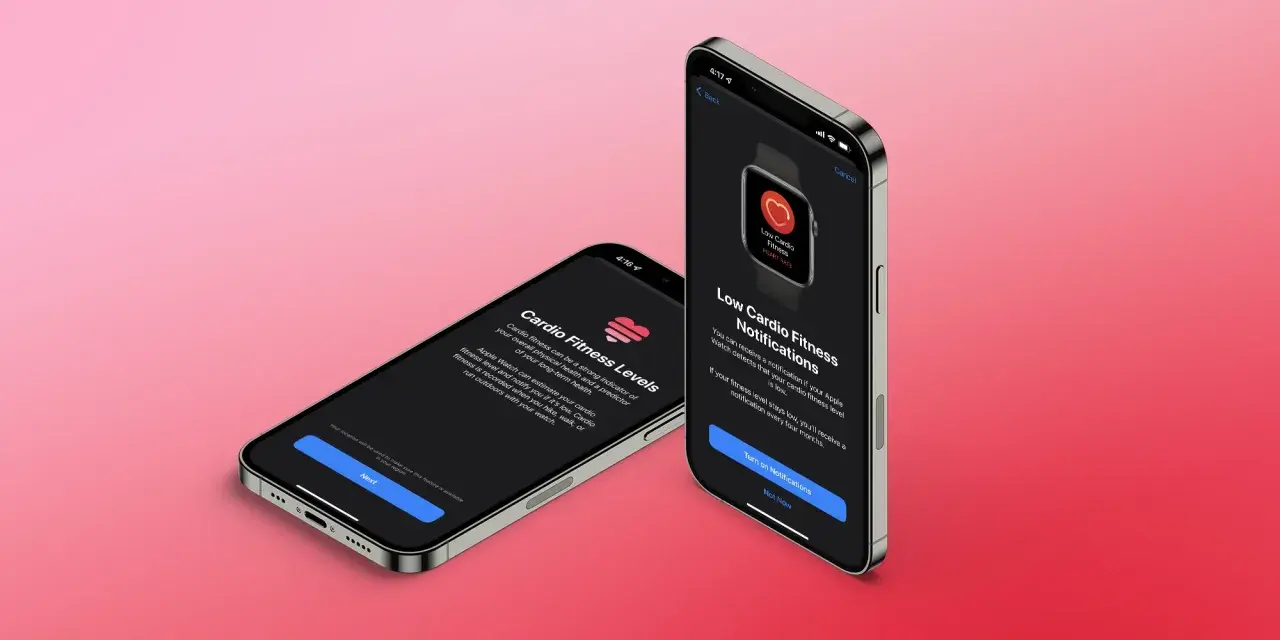
Improving cardio fitness is a training problem first and a device problem second. The Apple Watch can help you track the trend, but the number only becomes useful when the workouts, profile data, and recovery habits are aligned. In practice, the fastest gains come from better aerobic programming, a cleaner measurement setup, and a more patient reading of the data.
The fastest wins are training consistency, accurate setup, and one or two hard sessions a week
- Apple Watch estimates VO2 max from Outdoor Walk, Outdoor Run, and Hiking workouts, so workout type matters.
- Update your height, weight, age, and other health details before trusting the trend.
- Calibrate with a 20-minute outdoor walk or run on flat ground with good GPS.
- Aerobic base work, intervals, and recovery together improve the number more reliably than random hard efforts.
- Cycling improves your engine, but occasional supported outdoor walks, runs, or hikes make the Apple Watch estimate more responsive.
What the Apple Watch number really means
Apple Watch is not measuring VO2 max in a lab sense. It is estimating cardio fitness from your heart-rate response during supported outdoor workouts, then adjusting the estimate with details like age, sex, weight, height, and medications that affect heart rate. Apple Support also notes that the first estimate can take at least 24 hours of wear plus several outdoor sessions before it appears, so a blank chart at the start does not mean anything is wrong.
I treat that reading as a trend line, not a verdict. A single workout can be noisy, especially if you were tired, dehydrated, climbing hills, or running a route with poor GPS. What matters is whether the line moves up over a few weeks of consistent training.
That distinction matters even more for cyclists, because stronger riding can absolutely improve aerobic fitness while the watch still shows only part of the story. The watch is useful, but it is not the whole training picture.

Get the measurement setup right before you chase better numbers
Most people want to train harder when the better move is to clean up the data first. I would start by updating the Health profile in the Apple Watch app, especially height and weight, because stale body data can distort the estimate. If your weight has changed meaningfully, update it before you compare new readings to old ones.
Next, calibrate the watch. Apple recommends a flat, open outdoor area with good GPS reception and clear skies, then about 20 minutes of Outdoor Walk or Outdoor Run at your normal pace. If you walk or run at very different speeds, repeat the calibration at each speed. That gives the watch a better sense of your stride and makes the fitness estimate less jumpy.
Fit matters too. Wear the watch snugly enough that the sensor stays close to the skin. Loose contact and sloppy wrist placement create avoidable noise, and noisy data is the enemy of useful fitness trends. If you are using medications that alter heart-rate response, keep that in mind as well; the estimate may change even when your training load is similar.
One practical rule: when I want a reliable reading, I use a clean outdoor session, a consistent route, and the same watch settings. Small things like that do more for the signal than most people expect.
Train the engine that drives the number
The watch can only reflect the fitness you build. For real improvement, I usually want a mix of easy volume, one hard interval session, one controlled tempo session, and enough recovery to absorb the work. That is where cardio fitness rises. The U.S. baseline is at least 150 minutes of moderate activity or 75 minutes of vigorous activity each week, plus strength work twice weekly. For VO2 max gains, I treat that as the floor, not the ceiling.
| Session | Example | Effort | Why it helps |
|---|---|---|---|
| Easy aerobic work | 60 to 90 minutes on the bike, brisk walk, or hike | Conversational pace | Builds the aerobic base you need to recover and adapt |
| VO2 intervals | 4 x 4 minutes hard, 3 minutes easy between efforts | About 90 to 95 percent of max heart rate | Pushes oxygen delivery and utilization at the top end |
| Tempo or threshold | 2 x 15 minutes steady, with 5 minutes easy between | Hard but controlled | Lifts the pace you can sustain before fatigue takes over |
| Strength work | 2 sessions of 30 to 45 minutes | Moderate load | Improves durability, posture, and efficiency on the bike |
If I had to simplify it further, I would say this: one high-quality interval day and one steady aerobic day will usually beat three random hard workouts. The hard work should be hard enough to stimulate change, but not so frequent that it bleeds into every other session.
Recovery is part of the program, not a break from it. Sleep, hydration, and fueling make the difference between a week that nudges the line upward and a week that merely feels busy.
How cyclists can improve VO2 max without confusing the watch
For cyclists, the main trap is assuming the Apple Watch should behave like a cycling computer or a power meter. It does not. Cycling can be an excellent way to improve aerobic capacity, but the watch estimates cardio fitness from Outdoor Walk, Outdoor Run, and Hiking workouts, not from every ride. So I use the bike to build the engine and the supported outdoor workout types to let the watch reflect that progress.
That means the smartest setup is often a hybrid one. Keep your long rides, hill work, and intervals on the bike, then add occasional brisk walks, hikes, or runs if your body tolerates them. You do not need to become a runner to get a better reading; you just need enough supported outdoor work for the watch to see what your system is doing.
Indoor rides are still valuable. I would never tell a cyclist to skip trainer work just because the watch does not capture VO2 max from it. But if all of your fitness lives inside, your Apple Watch trend will probably underrepresent the work you are doing. That is normal. The solution is not to abandon cycling; it is to interpret the watch as one metric among several.
In practice, the cleanest athlete setup I see is this: power or pace for the session, heart rate for stress, Apple Watch for long-term cardio trend. Each tool has a job. The mistake is asking one device to explain everything.
The mistakes that flatten the curve
- Training too evenly - lots of moderate work feels productive, but it often stalls VO2 max if there is no real high-end stimulus.
- Going hard too often - two interval days back to back can bury the signal under fatigue.
- Ignoring sleep and fuel - a strong interval session on low sleep or low glycogen can look like a bad fitness day.
- Leaving body data stale - if weight changes and the Health profile does not, the estimate becomes less representative.
- Relying on noisy sessions - loose wear, poor GPS, steep stop-and-go routes, and indoor-only workouts make the trend harder to read.
- Judging one reading - cardio fitness changes slowly; week-to-week swings are often just noise.
When I see a flat line, I usually suspect one of three things first: the training is too random, recovery is too poor, or the measurement setup is sloppy. The watch is often the messenger, not the problem.
How fast results usually show up
Meaningful changes usually take longer than people want. If your training is finally organized, you may see the first hint of movement in two to four weeks, but cleaner improvement often shows up over six to twelve weeks. That is especially true if you are coming from a very inconsistent baseline.
Apple’s low cardio fitness notifications are useful as a prompt, not a diagnosis. If you are getting those alerts repeatedly, or if exercise is bringing unusual shortness of breath, chest pain, dizziness, or a feeling that is out of proportion to the effort, talk to a clinician. The CDC also advises people with chronic conditions, recent inactivity, or other health concerns to check with a doctor before starting vigorous activity.
For most healthy adults, the right mindset is boring but effective: keep the easy days easy, make the hard days genuinely hard, and give the body enough time to adapt. The trend follows the training.
The 30-day reset I would use on Apple Watch
If I were rebuilding cardio fitness from scratch, I would keep the next month simple and repeatable.
- Week 1: update Health details, calibrate the watch, and complete two easy aerobic sessions plus one 20-minute outdoor walk or hike.
- Week 2: add one VO2 interval workout, then keep the rest of the week easy.
- Week 3: repeat the interval workout and add one threshold or tempo session, but only if recovery feels solid.
- Week 4: reduce total volume by about 20 to 30 percent, keep one short sharp session, and compare the trend rather than a single score.
If you want the cleanest signal, keep the test conditions boring: same watch, same wrist, similar route, and similar time of day. That makes the Apple Watch reading much easier to trust, and it gives you a better way to see whether your training is actually moving the needle.
